
Hi! This handwritten guide about Amap is based on my personal experiences.
I’m a native Chinese, a transport designer, and the creator of this China travel guide website.
Introduction
Although Amap isn’t the only mapping app in China, it is the best one for foreign tourists visiting China.
Amap is called Gāodé Dìtú (高德地图) in Chinese.
I can assure you that while Amap might look daunting at first, it is in fact intuitive to use.
I say that as someone who is an ex-transport designer and has used Google Maps extensively through my travels in Europe.
Its core functions are similar to Google Maps (and most mapping apps).
It does however feel a little bit heavier, due to its additional features (which aren’t really that essential in my opinion)
If you need help using public transport, also check out my article👇🏻
How to Get Around and Use Public Transport in China: Beginner's Guide
Why not Google Maps?
The map layer is entirely out of date and does not align with the local coordinate system.
In my experience, Google Maps is only usable in Beijing and Shanghai if you’re looking for major landmarks and places. Even then, entire roads, metro stations, restaurants, and shops are missing from the map entirely.
When you’re walking along the street, you’ll find that your position is nowhere near the actual location. I tried it years ago and got lost pretty quickly. It’s the same situation in 2026.
So, I wouldn’t rely on it at all, unless for some reason, you’re unable to install a mapping app like Amap, Baidu Maps, or Apple Maps.
It does work for Hong Kong and Macau, so no real need to install Amap there.
Apple Maps?
It’s certainly a lot better than Google Maps, but it only works after you physically arrive in China. And not everyone has an iPhone.
I find a lot of missing details for smaller independent shops and restaurants. Also less graphical detail.
Have it as a backup, but I strongly recommend you still install Amap.
Setting up Amap for the first time
1. Install + open the app.
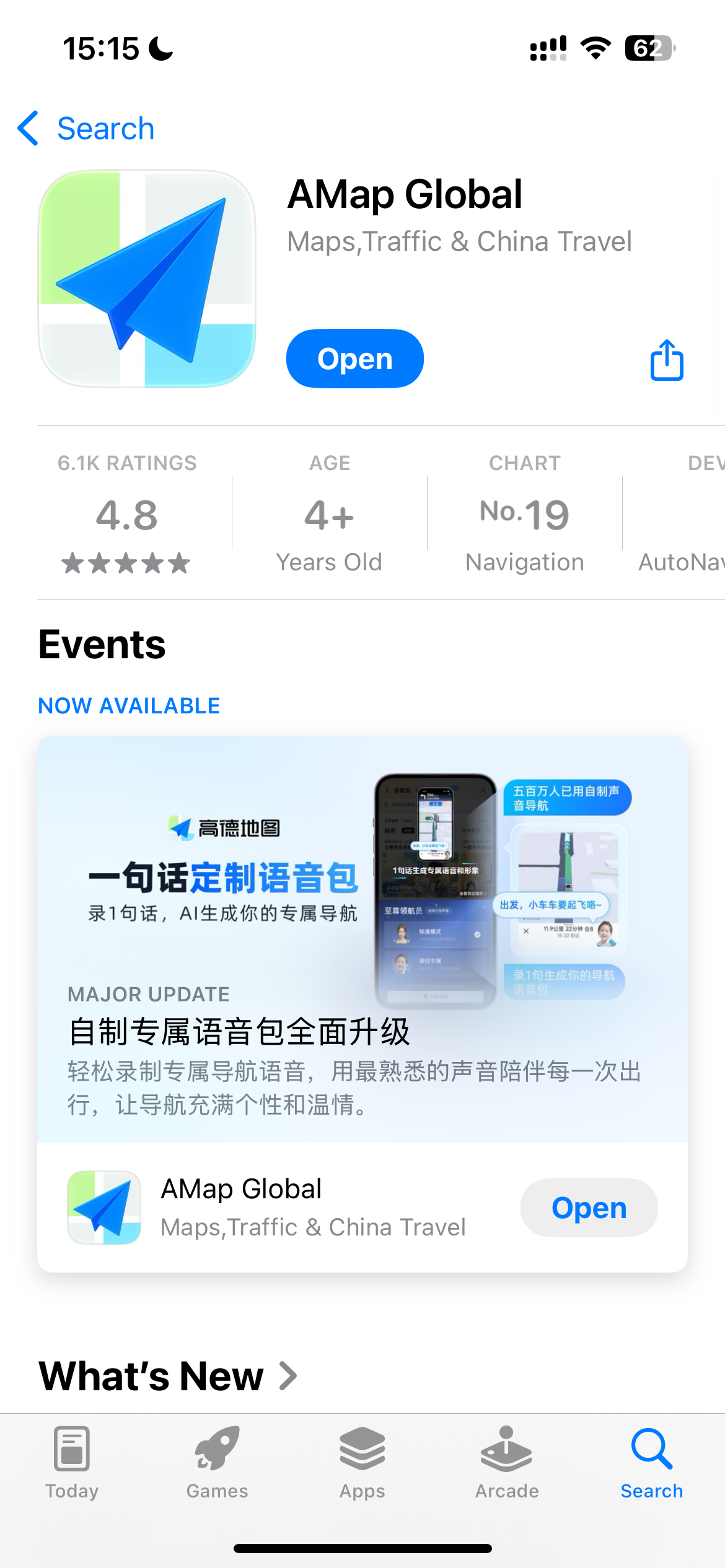
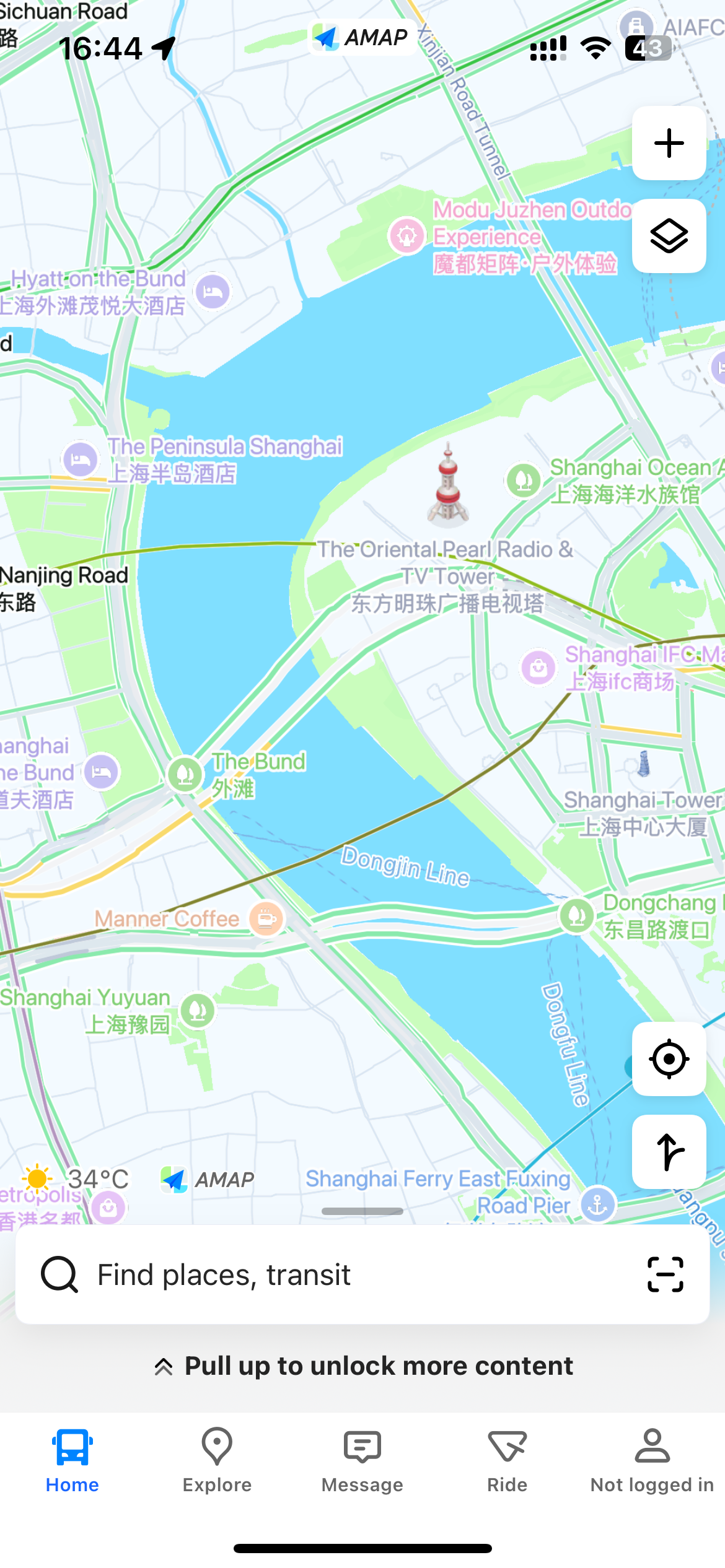
2. If the app hasn’t automatically switched to English (or your preferred language), you can switch it by following the screenshots below:
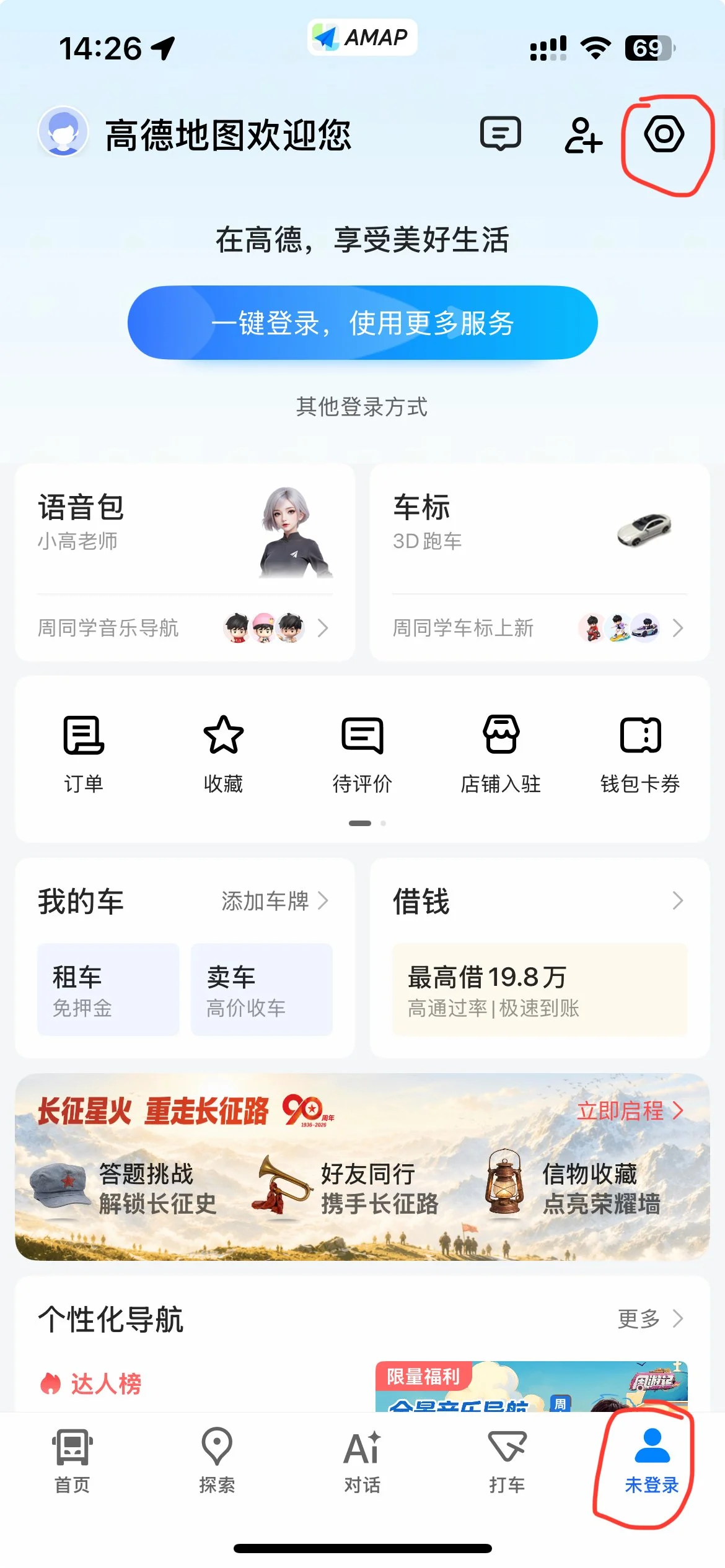
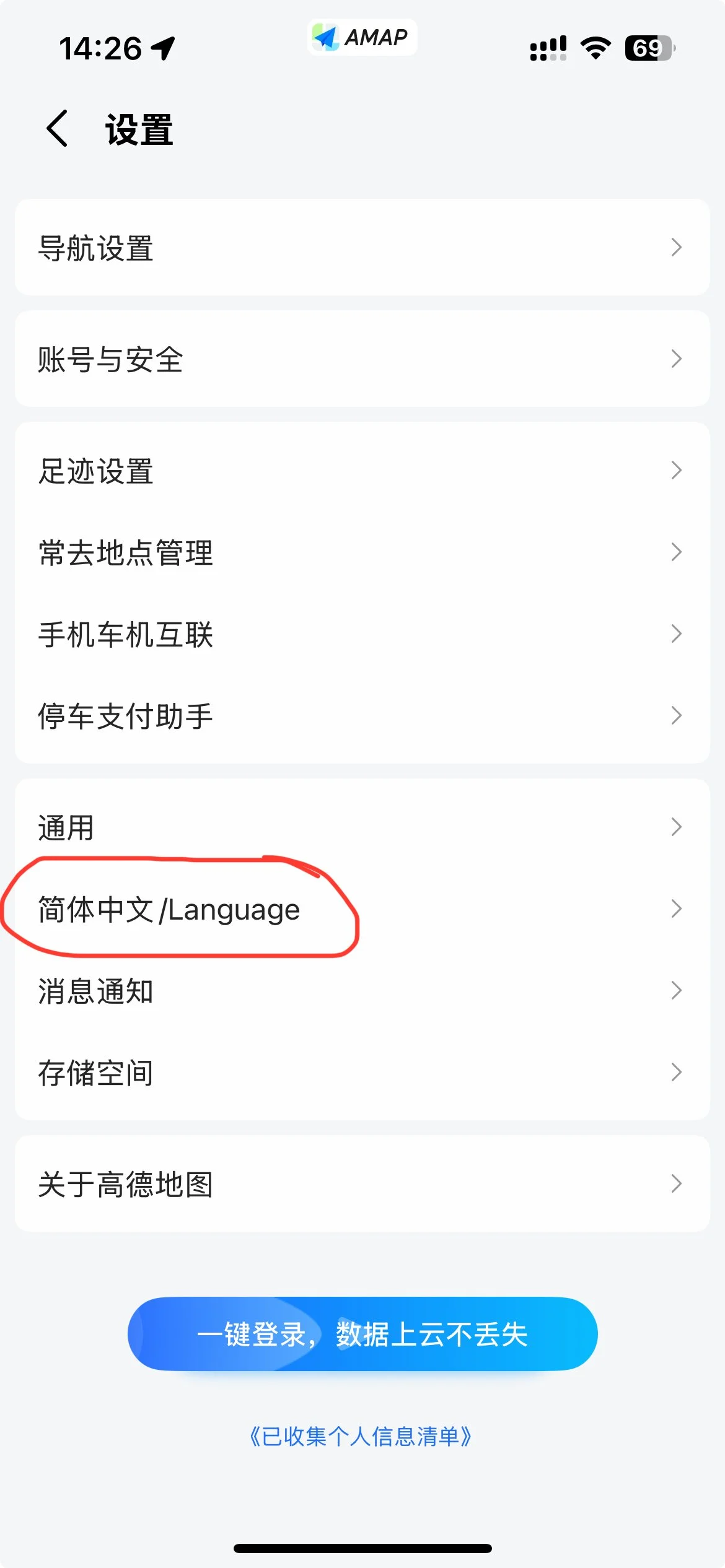
3. Last time I’ve checked, switching the language doesn’t translate EVERYTHING into English.
So, you’ll have to click the floating button on the side “View Translation”, which will do machine translation.
But even then, some things will be left in Chinese, like food names. Some machine translated words will sound strange too, but unfortunately that’s the best solution at the moment.
⬇️
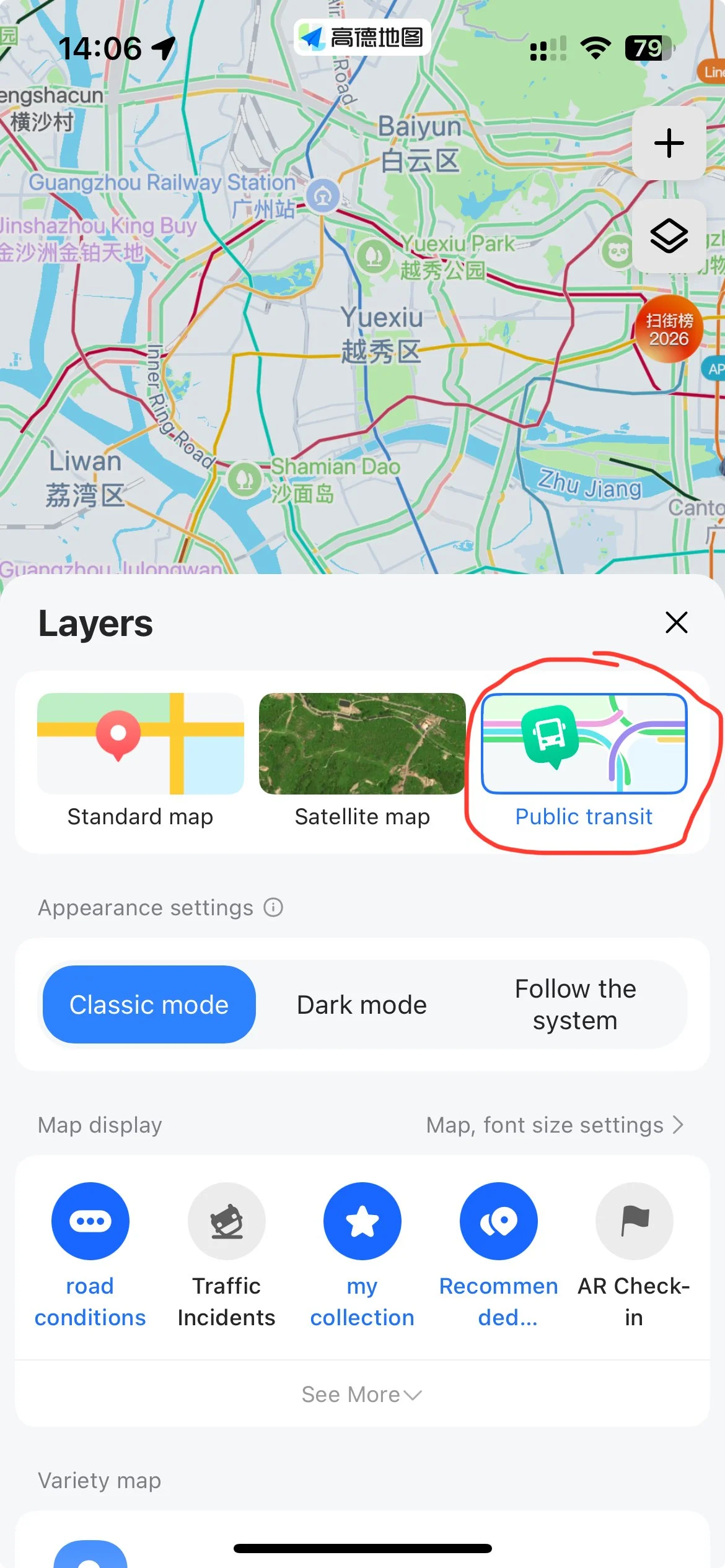
4. As for map layers, I prefer having the public transit layer on, as I basically use the metro for majority of transport. Metro stations are normally labelled with the metro logo for the city you’re in OR a blue/white train (see below)
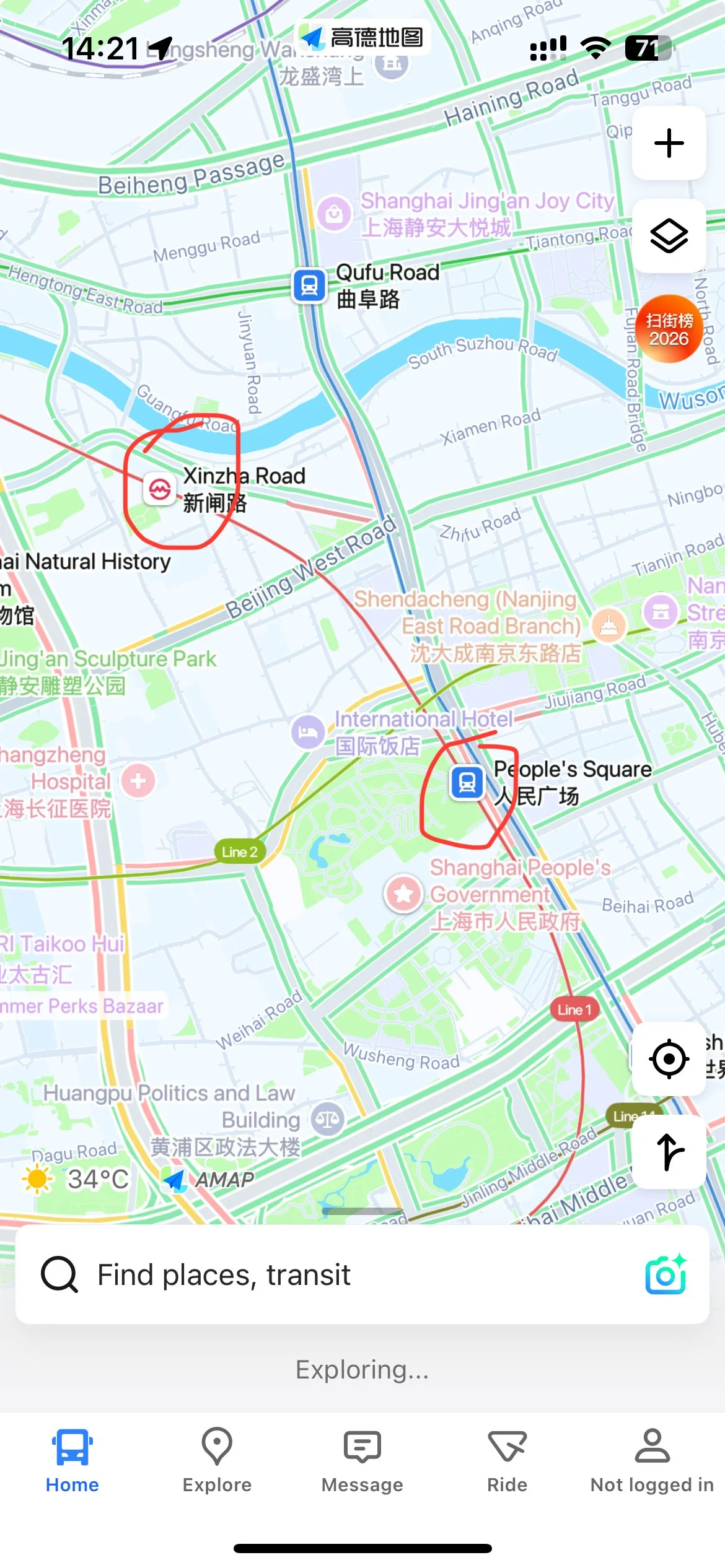
5. The map is normally in 2D, but you can view in 3D if you zoom in enough + click the 3D button on the right hand side.
⬇️
How to Search for a Place or Get Options
Searching in English is generally good for most places in big cities, especially tourist attractions.
There are restaurants, coffee shops, tea shops, shopping malls, toilets, all the usual things you’d expect on a mapping app.
But sometimes you’ll run into problems with smaller places like less famous attractions and independent restaurants, where the English to Chinese is lost in translation.
In that case, I suggest you search using the Chinese characters for that place (e.g. 广州酒家), if you know it.
Note that there is likely to be multiple results, so be sure to check the pictures to make sure it’s the right one.
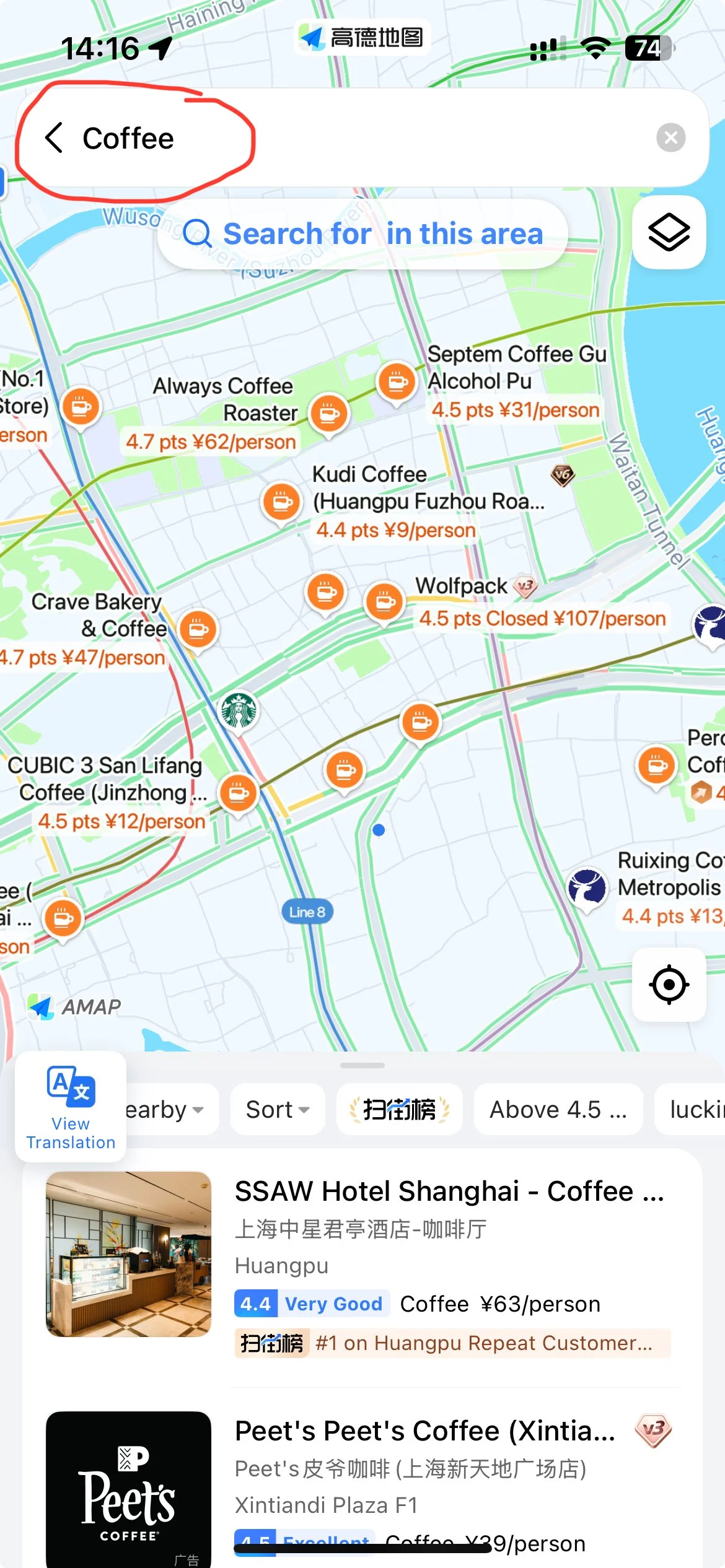
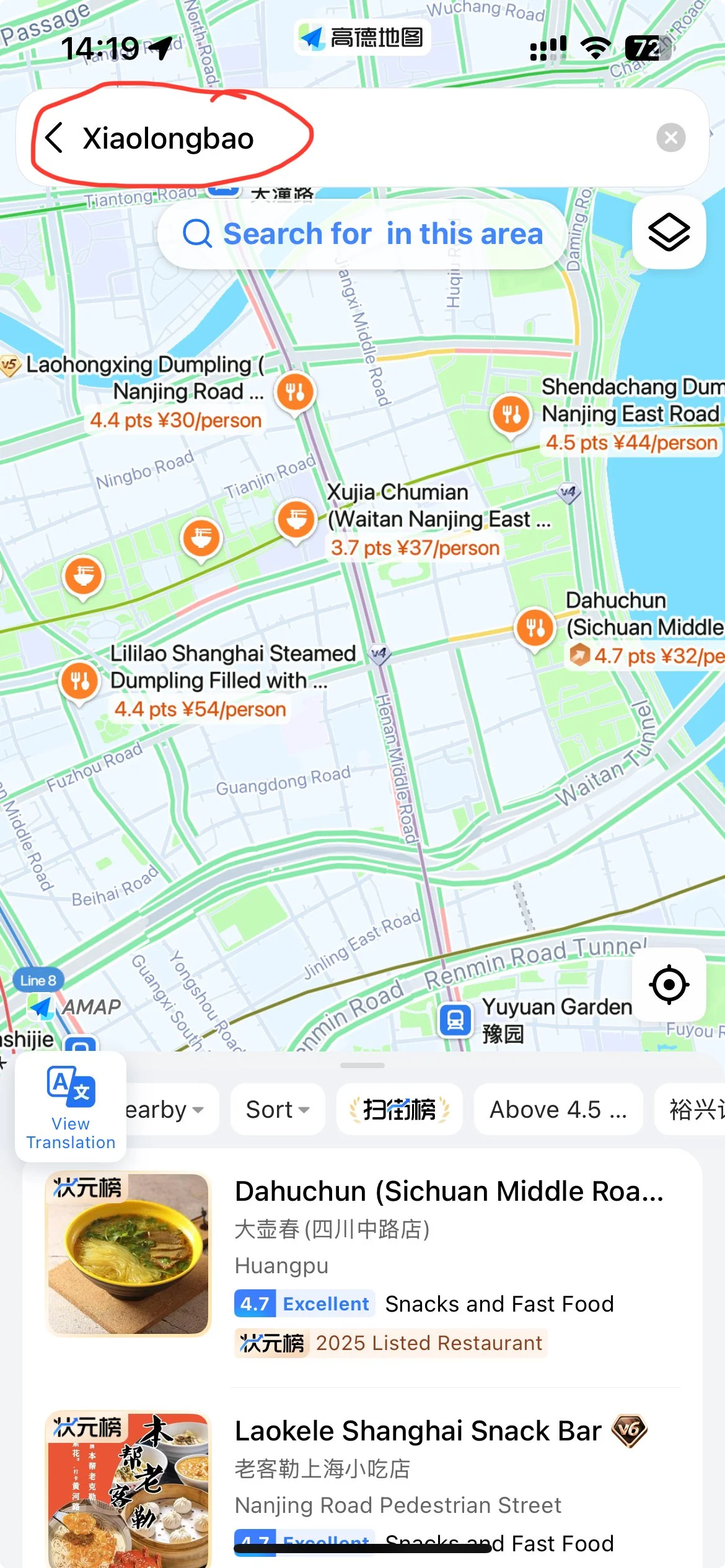
Some examples you can type in English are “coffee” and “xiaolongbao”, and the map will give you some options. But not everything will be on there, partly because of the translation! Also, it might not be listed in Amap.
For a more complete list, I prefer using Dianping for finding restaurants, like pretty much every friend I’ve asked.
Dianping has its own integrated map to search. There, you’ll see the full list of menus, customer reviews, pictures.
Check out my article How to Find Great Restaurants in China - A Simplified Guide to Dianping and RedNote
If you can’t be bothered, then you can still use Amap to find some restaurants. Unfortunately, it doesn’t have the full library (last time I checked). I’ve found quite a few outstanding gems were missing in Amap, but were on Dianping.
IMPORTANT: If you’re not in China yet OR want to search Shanghai while you’re in Beijing, you should center your map on the city of interest. Not doing this MAY NOT give you the results from that city!
Discovering New Places
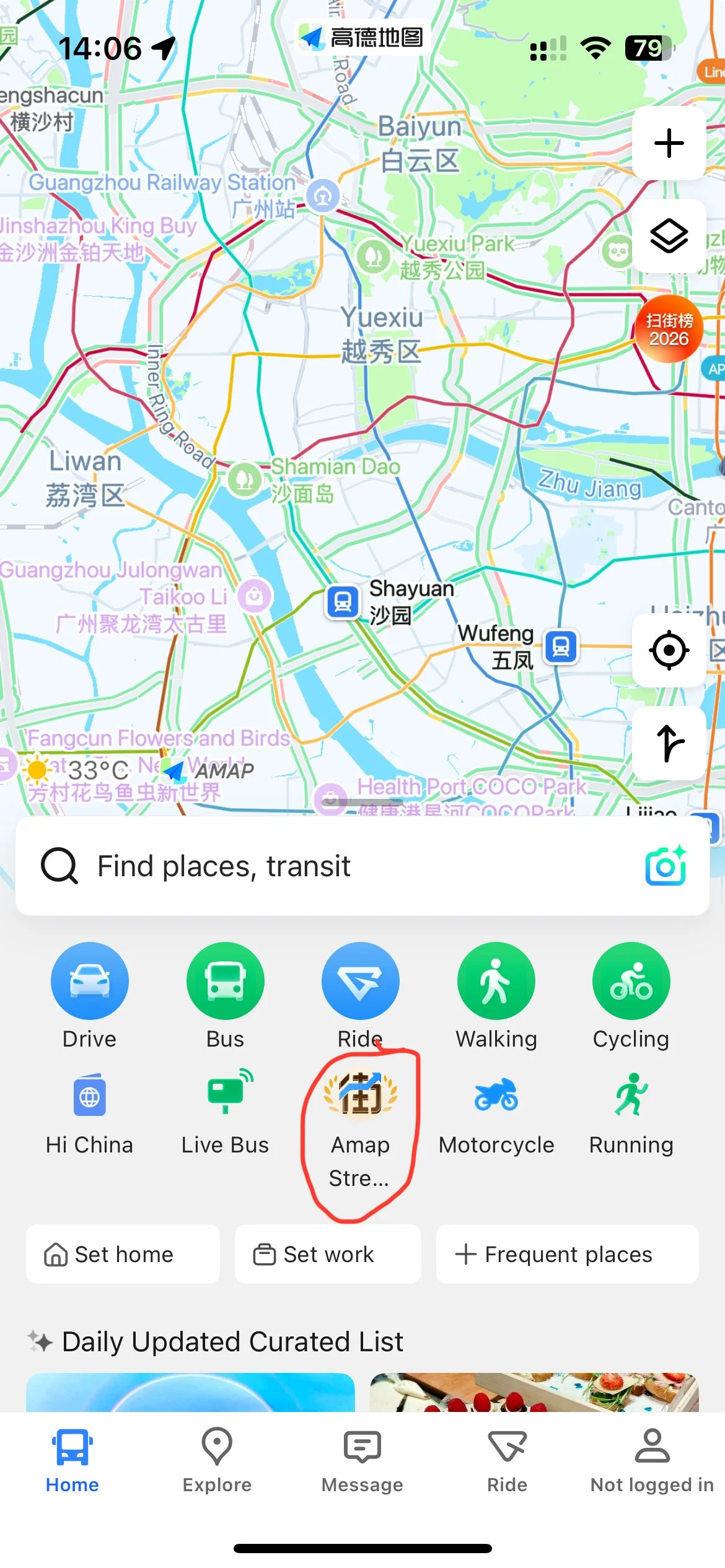
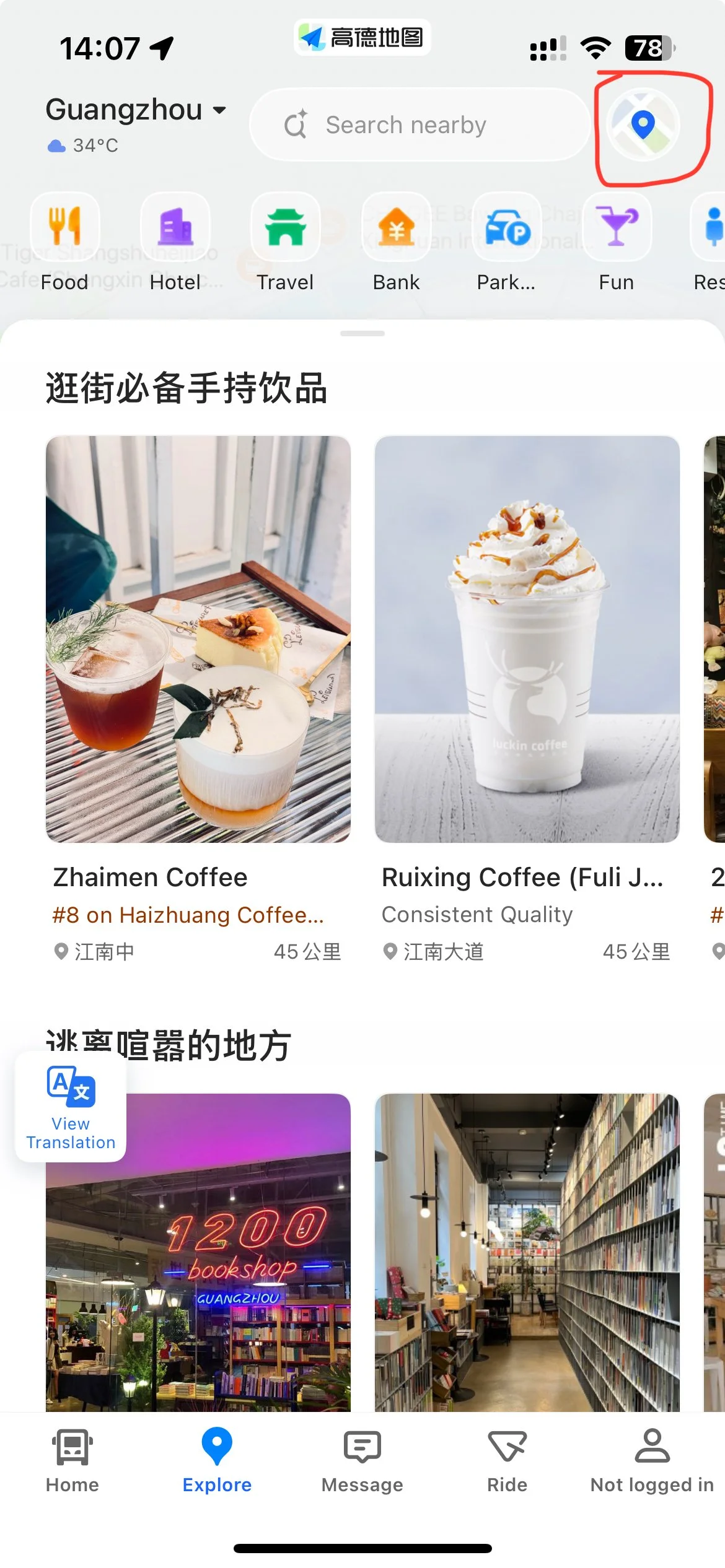
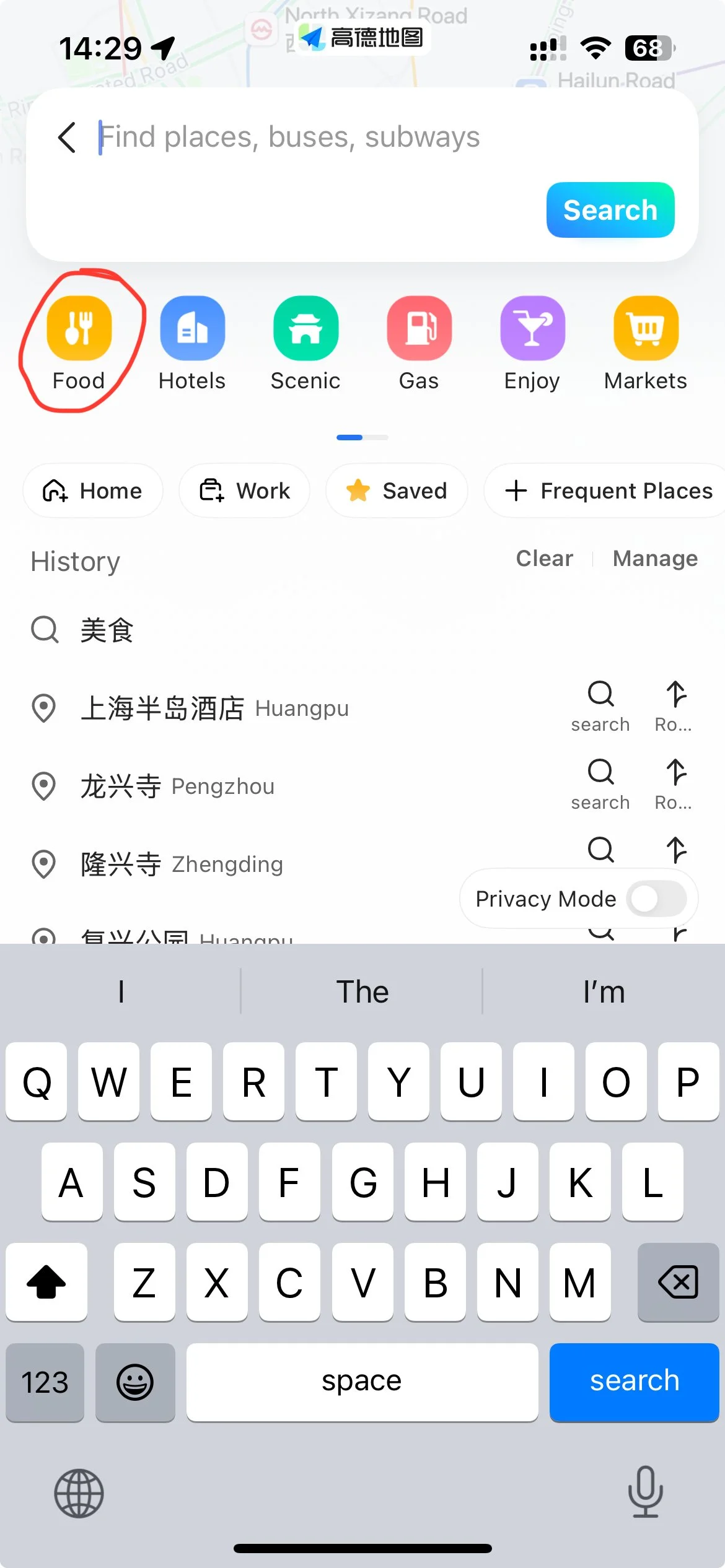
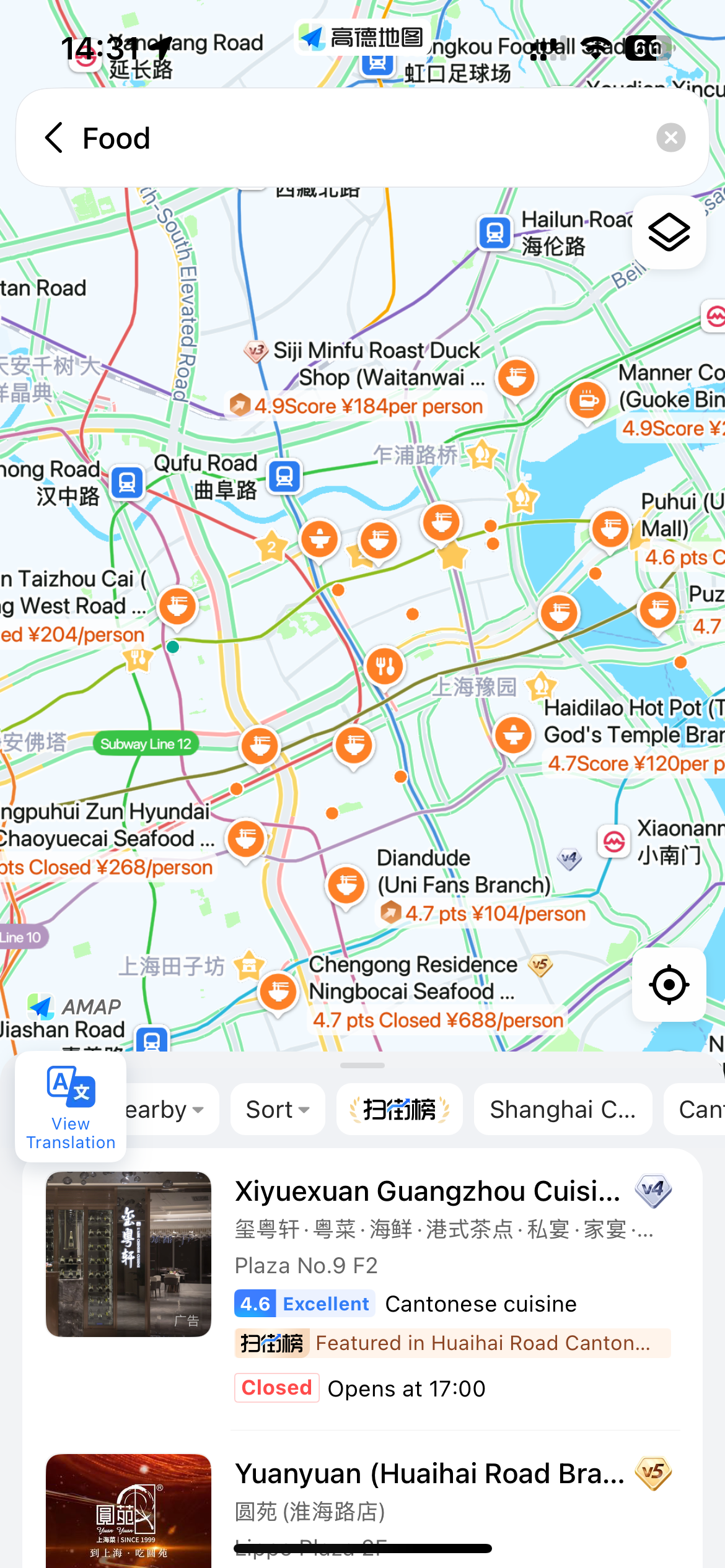
Amap offers several options to discover new places. You can use:
“Amap Street” (see screenshot 1) - this gives a list of attractions, restaurants, local places to explore.
But don’t get caught up too much by high scores. High scores don’t necessarily mean high quality, middle scores don’t necessarily mean it’s not high quality. Low scores are probably bad though, BUT if it’s a new restaurant, I think they start at low scores. Judge for yourself.
Explore tab ➡️ Map icon (see screenshot 2) for a map of everything around you. You have to click the buttons for different categories.
Explore tab ➡️ Food icon (see screenshots 3 + 4) for a map of restaurants in the area around you.
⬇️
Long Story Short?
So, my advice is: use Amap for street navigation, nearest metro station, coffee and tea shops, convenience stores, and general shopping.
For restaurants, use Dianping app if you’re serious about getting the best food.
It has an integrated map function, where you browse restaurants in any area.
Don’t read into the ratings too much, once you get to 4.3 or higher, it’s pretty subjective and some places game the system.
For hotels, go to the hotel’s page on the Trip app and click on the map function
⬇️
Do I Need To Create An Account?
The app might force you to sign in with your phone number for certain functions (like clicking on hotels).📱
But I managed to save locations such as coffee shops and restaurants using the ⭐ function, WITHOUT having to sign in.
It’s up to you - if you’re getting frustrated by things you wanna see, you might want to register as it makes things easier.
Extra Tip:
🚖 Ride-hailing: You can also hail a cab on Amap, but it might require a local number. The prices might be cheaper than DiDi, but I find the quality of drivers is less consistent. I personally prefer DiDi.
Note: All images are screenshots from Amap and the source information belongs to Amap. It’s been used strictly for this guide to help people navigate China.
🛏️ To get the cheapest prices on hotels in China, don’t miss my guide
How to Get The Best Deal For Hotels in China!
You could save money on your trip by: